NorthSetup

Record once.Guide and video, done.

Click through any app as usual. StepDesk captures every step with a picture and a description, and records the explainer video along the way.

For macOS 26 or later on Macs with Apple silicon. No account, no credit card.

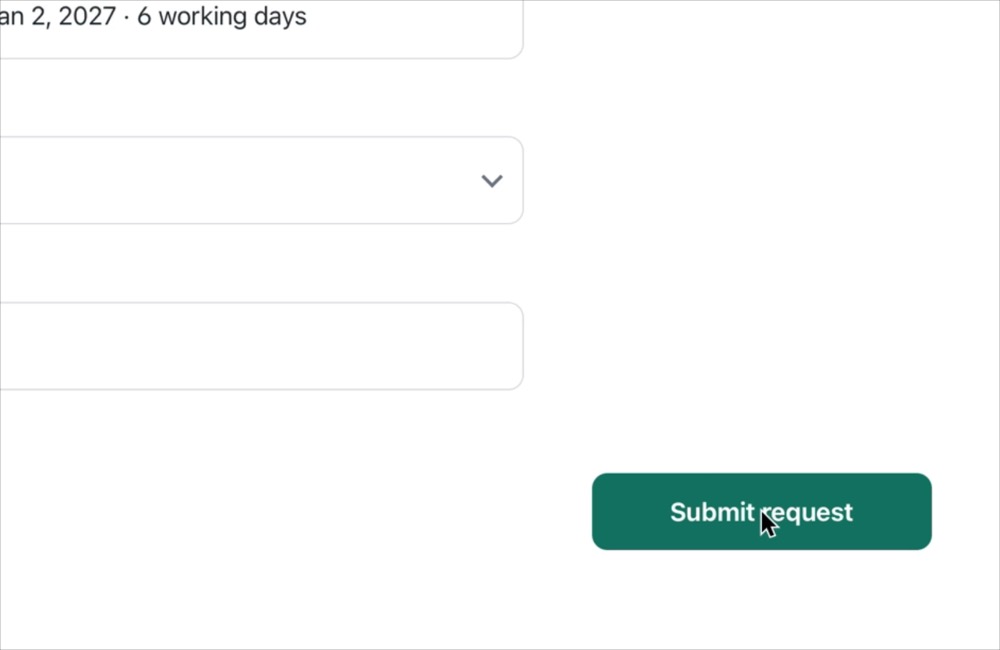
Three clicks in a staff portal become three steps with pictures and markers, plus the explainer video.

How a guide comes together

Real StepDesk screens, with sample content.
  1. Record

    Start recording and walk through the task once. StepDesk recognises what you click and captures every step.
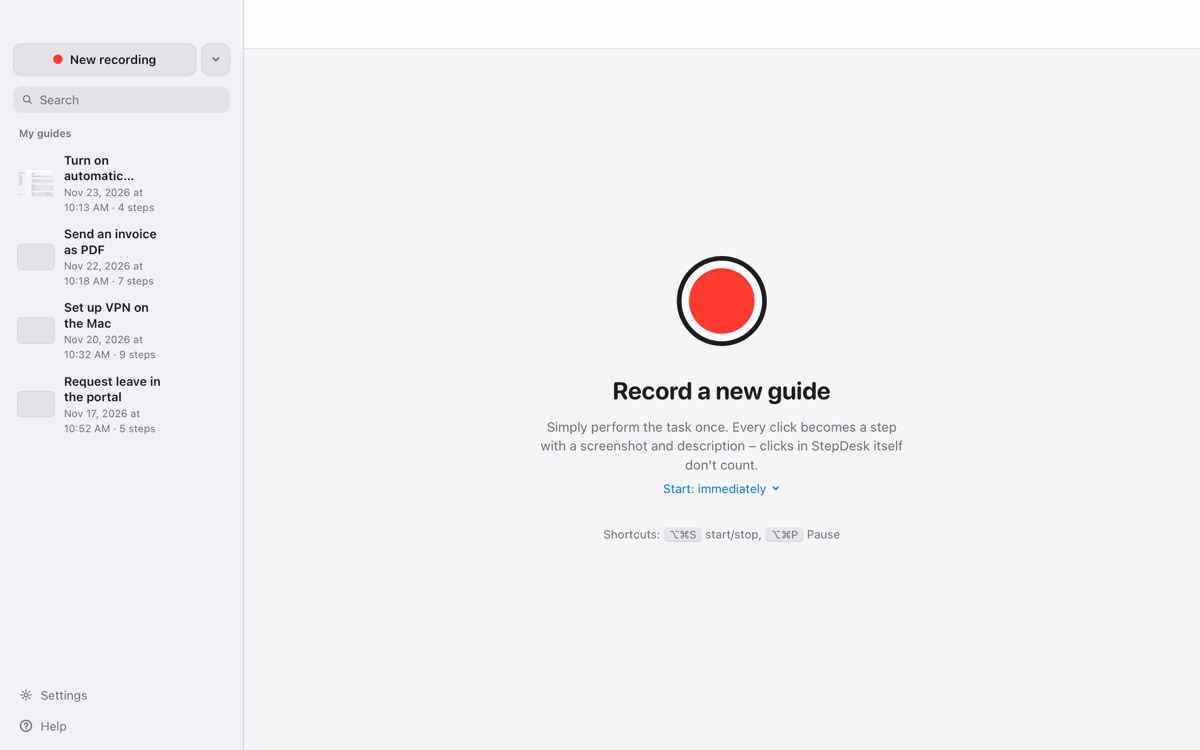
    StepDesk before recording: the red “Record a new guide” button.
  2. Edit

    Adjust the text, reorder steps, redact areas. In the video, cut, zoom and add callouts.
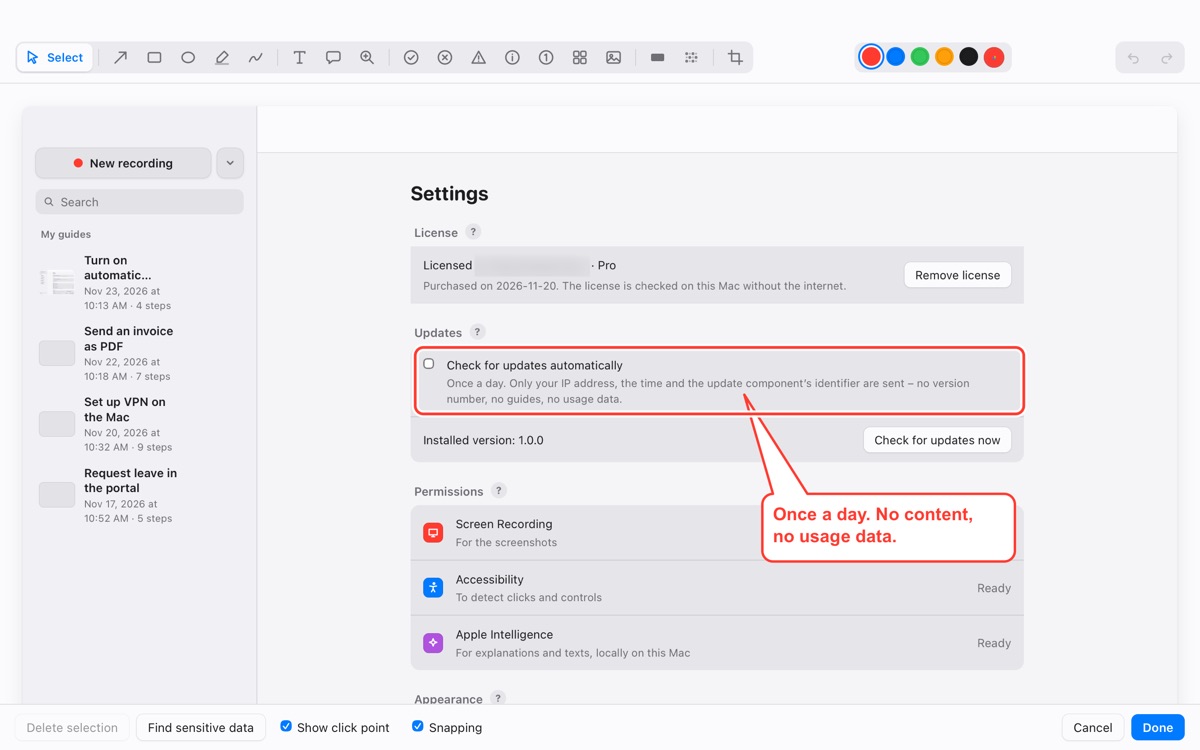
    StepDesk’s image editor: a name is blurred and a speech bubble explains the setting.
  3. Share

    Export as PDF, Word, HTML or Markdown, the video as MP4. Ready for onboarding, your intranet or customers.
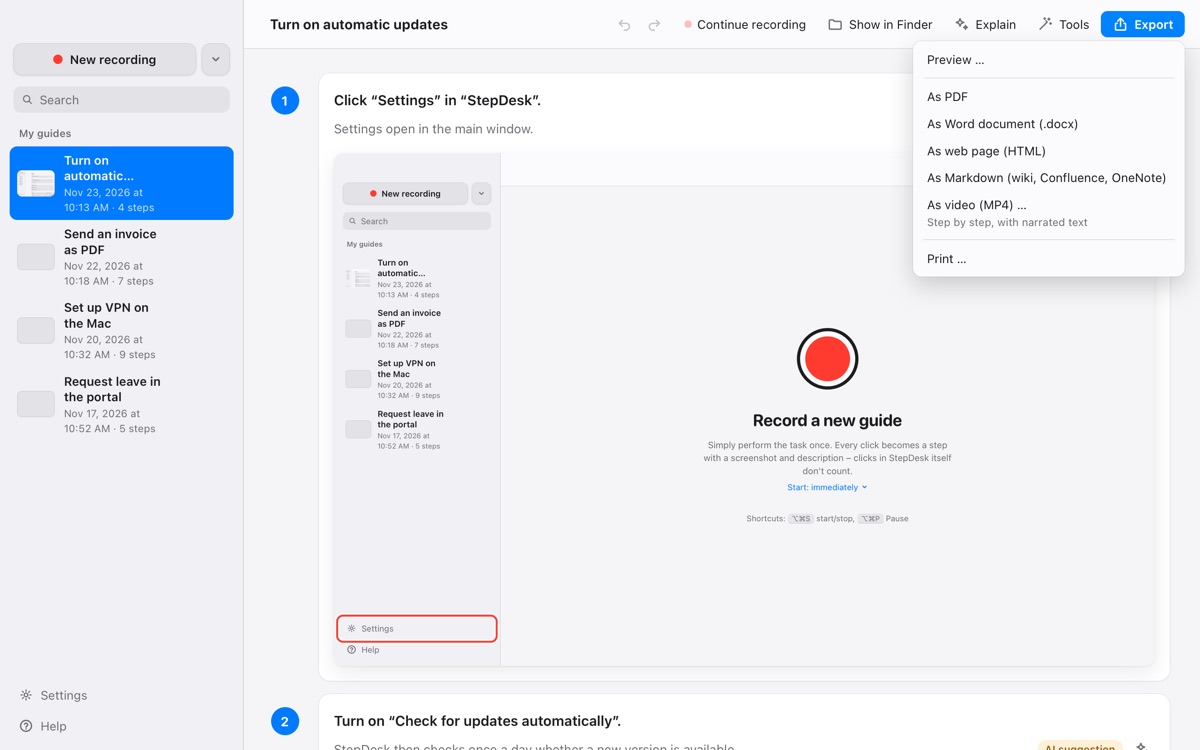
    The Export menu in StepDesk: preview, PDF, Word, web page, Markdown, video and print.

Two tools from one recording

Most tools make either guides or videos. StepDesk makes both from the same run-through.

A finished guide in StepDesk: numbered steps with screenshots and the click marked.
Guide · PDF, Word, HTML

The guide

PDF, Word, HTML, Markdown
  • A picture at every click, with the spot marked and zoomed in
  • Buttons and fields you click are recognised and named
  • Clear step descriptions, optionally polished by AI on your Mac
  • Image editor with arrows, magnifier, pen, speech bubbles and text
  • StepDesk suggests merging clicks you don’t need
  • Search all guides, including text inside images and videos
StepDesk’s video editor with timeline, zoom and subtitles from the steps.
Exported MP4

The video

MP4, SRT
  • Screen recording alongside the guide, with microphone and system audio
  • Timeline editing, trim idle time at the press of a button
  • Zoom and click ripple so every click is easy to follow
  • Callouts, title slides, transitions and subtitles
  • Subtitles from what you say, recognised on your Mac
  • Redactions carry over to the video, through cuts and zoom

What StepDesk does for you

Every click becomes a step

Work as usual. StepDesk turns each click into a step with a picture, a marker and matching text.

One recording, two results

The same run-through gives you the illustrated guide and the explainer video. Nothing to record twice.

Polished in minutes

Add numbers, notes and highlights right on the picture, change the text, reorder steps.

Confidential stays confidential

StepDesk looks for email addresses, phone numbers, IBANs and access keys in your screenshots and redacts what it finds in one click. Still check for yourself before you share.

Your guides and recordings never leave your Mac.

No cloud, no account, no uploads. StepDesk only goes online to check for updates, and only if you agree. All that is transmitted is your IP address, the time and the update component’s identifier, not even the version number. Your licence key is checked on your Mac.

Find sensitive data

StepDesk looks for email addresses, phone numbers, IBANs, card numbers and access keys and redacts what it finds in one click. Still check for yourself before you share.

Pauses for password managers

Recording pauses automatically. StepDesk never reads what is in password fields.

No export beats a wrong one

If a redaction cannot be applied to the video, StepDesk stops the export rather than let something slip through.

On-device AI

Text suggestions come from Apple Intelligence on your Mac. The AI only sees the redacted version.

Set exclusions

Put apps on an exclusion list, or record only the first app.

Signed and notarised

StepDesk is signed with an Apple Developer ID and notarised by Apple.

Wherever someone has to show how it’s done

Onboarding

New colleagues learn your tools and routines without someone sitting next to them.

Processes and QA

Work instructions with pictures that still hold up at the next audit.

Support

Reply with a guide or a short video instead of a long email.

Training

Learning material and explainer videos for courses, classes or YouTube.

Buy once. No subscription.

Try everything for 14 days. Afterwards your guides stay readable and exportable, even without a licence.

Try it free for 14 daysEvery feature, no account, no credit card.
Try free for 14 days
Recommended

Pro

For individuals

€49one-time

Launch price until 28 Feb 2027, then €69

Buy once, no subscription
  • All features, guide and video
  • On up to two of your own Macs
  • 12 months of new features included
  • Keeps working after that

Business

For companies

€89per person, one-time

Launch price until 28 Feb 2027, then €119 per person

Buy once, no subscription
  • Everything in Pro, licensed for business use
  • Each seat on up to two Macs
  • Invoice in your company’s name
  • Volume discount for larger teams on request

After 12 months StepDesk keeps working. Security updates and bug fixes are provided regardless. No subscription, nothing renews automatically. Payment via Paddle.

Common questions

Is this a subscription?

No. You pay once and keep StepDesk. Nothing renews automatically.

What happens after 14 days?

Your guides and videos stay. You can still open them and export to every format. New recordings and editing need a licence.

Do I need Apple Intelligence?

No. Everything works without it; only the AI text suggestions are missing. Sensitive data detection works without it too.

Are my recordings uploaded anywhere?

No. Guides, images and videos stay on your Mac, in your Documents folder.

Which Macs are supported?

Macs with Apple silicon (M1 or later) running macOS 26 or later.

Is there a Windows version?

No, StepDesk is made for the Mac.

Your next guide almost writes itself.

Try free for 14 days

The download opens with the beta. For macOS 26 or later on Macs with Apple silicon. No account, no credit card.

Apple Intelligence is only available on supported Macs with Apple silicon. Prices include applicable VAT, processed by Paddle as reseller.